Enter your height and weight—or add circumferences for refined detail—to generate an interactive 3D body shape preview.
🔒 100% Client-Side Simulation: Calculations run locally in your browser. No personal measurements are stored or uploaded.
Estimated Archetype
Hourglass Proportion
Baseline Preview
Waist-to-Hip Ratio0.75
Waist-to-Bust Ratio0.80
1. Stature & Weight→2. Optional Contours→3. 3D Spatial Mesh
🔒 100% In-Browser⚡ Instant Local Math📱 Zero Data Storage
Visual Model Output and Silhouette Analysis
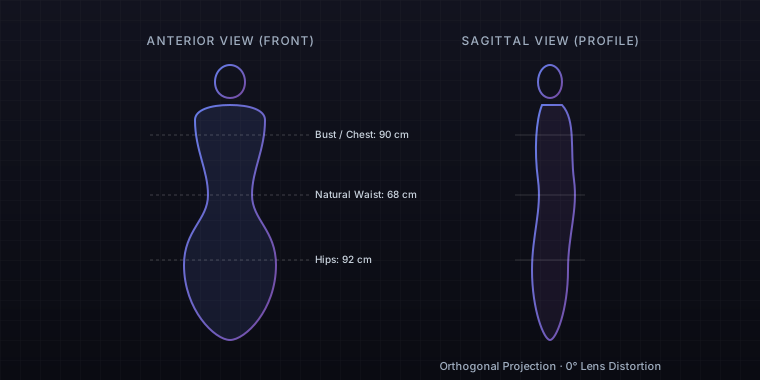
The preview generates a 3D parametric envelope calculated from biomechanical cross-sections. Instead of applying generic illustrative cutouts, the engine blends thoracic width, pelvic flare, and waist concavity to present proportional mass distribution from anterior and lateral angles.
Orthogonal anterior and sagittal projection illustrating dimensional ratios without lens distortion.
How to Use the Body Visualizer
1Select your preferred measurement system and enter your baseline height and weight.
2Open the optional precision panel to input your bust, natural waist, and widest hip circumferences.
3Review your rendered 3D silhouette, inspect calculated waist-to-hip ratios, and toggle comparative body archetypes.
Female Body Visualizer
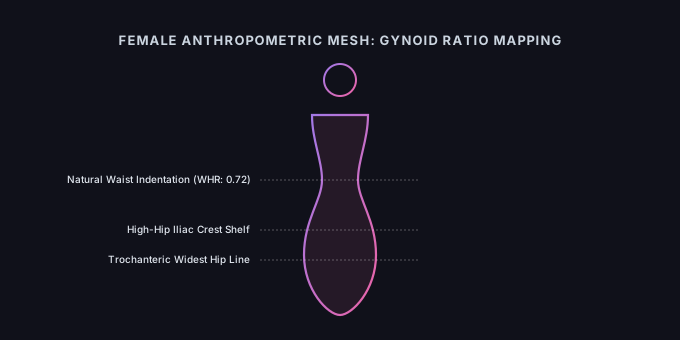
The female body visualizer configures geometric mesh curves specifically around gynoid adipose patterns, pelvic inclination, and waist transitions. Standard apparel tables assume proportional scaling between bust, waist, and hips, yet female physiques exhibit diverse skeletal frame dimensions and distinct waist-hip drop differentials.
Unlike the generalized baseline mode, this configuration sharpens the transition between the lower ribcage and the iliac crest, preventing the vertical blockiness common in generic body shape visualizer utilities. It recalculates lateral curves to reflect pelvic tilt, high-hip shelf development, and gluteal depth rather than simple circumferences.
Primary Application: Selecting structured formalwear, evening dresses, or fitted suiting where high-hip placement and bust-to-waist ratios determine whether garments pucker across the abdomen or gap at the lower spine.
Parametric simulation illustrating female high-hip contouring and bust-to-waist ratios.
Female Mode Technical Specifications
How does this mode calculate bust projection versus ribcage circumference?
The engine splits circumference into transverse and anteroposterior diameters, rendering pectoral depth separately from ribcage breadth to avoid tubular distortions.
Can this model differentiate high-hip flare from lower-hip fullness?
Yes. Inputting high-hip circumference isolates pelvic shelf contouring from femoral wideness, distinguishing high-waisted shelf profiles from tapered lower-hip shapes.
Male Body Visualizer
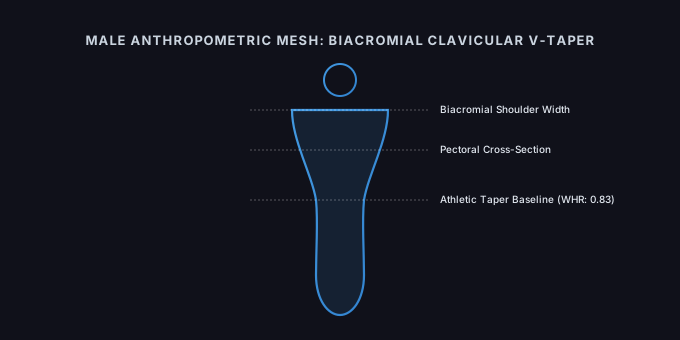
The male body visualizer constructs an upper-torso-dominant silhouette aligned with android fat distribution patterns, clavicular expansion, and ribcage geometry. Traditional sizing charts frequently misrepresent athletic male builds by assuming that wider chest measurements always correlate with wider waistbands.
Unlike the default configuration, this masculine body visualizer mode expands the biacromial diameter, reduces pelvic flare angles, and sharpens latissimus dorsi taper angles. The algorithms redistribute mass toward the upper thoracic envelope and lower abdominal baseline rather than the hips or outer thighs, producing a biomechanically realistic frame.
Primary Application: Evaluating upper-body athletic hypertrophy and shoulder-to-waist ratios for performance apparel, ensuring compression wear and tailored dress shirts accommodate shoulder breadth without excess fabric around the core.
Biomechanical model displaying male clavicular width and latissimus taper geometry.
Male Mode Technical Specifications
How does the model represent chest broadness without breast tissue curvature?
The algorithmic cross-section flattens anterior curvature and widens the clavicular span, projecting mass across the pectoral plate and upper back.
What happens when abdominal measurements exceed the chest measurement?
The simulation shifts mass distribution downward to the lower umbilical line, rendering the android abdominal contour typical of central adiposity while maintaining skeletal shoulder width.
3D Body Visualizer
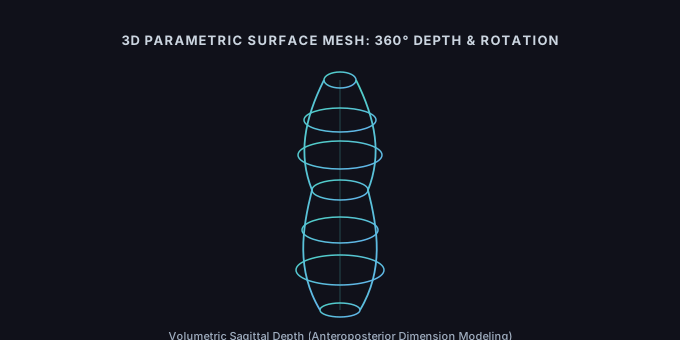
Spatial depth defines human presence, which is why the 3d body visualizer generates a complete rotatable surface mesh rather than a static silhouette. Front-facing mirrors only show lateral width, masking the depth coordinates that dictate how garments sit along the ribcage and spinal column.
Unlike planar previews, this spatial engine reconstructs anteroposterior depth alongside frontal breadths. It calculates thoracic volume, lordotic curvature, and gluteal projection from your entered inputs. Operating in tandem with dimensional metrics, it serves as a spatial bmi visualizer, illustrating how volumetric mass distributes through 360 degrees of rotation.
Primary Application: Assessing sagittal alignment and postural depth changes, such as identifying when apparent abdominal prominence stems from pelvic tilt and lower back curvature rather than localized adipose accumulation.
Interactive 360-degree mesh displaying anteroposterior volume and spinal alignment.
3D Mode Technical Specifications
Why does the 3D visualizer show different proportions from a mirror reflection?
Mirrors introduce focal length distortion and lighting shadows, whereas the 3D mesh renders true orthogonal spatial proportions without perspective foreshortening.
How does this 3D view expand on a basic bmi visualizer?
A simple bmi visualizer plots stature against mass on a 2D plane; this 3D model distributes that volume across depth and width axes to reveal real physical bulk.
Body Simulator
The body simulator functions as an interactive anthropometric sandbox, allowing dynamic adjustment of mass, stature, and segmental circumferences to observe structural changes. Static charts capture where your measurements stand today, but they cannot demonstrate how prospective shifts alter your overall balance.
Unlike fixed diagnostic screens, this body measurement simulator decouples skeletal bounds from soft tissue volume. Adjusting the weight slider while locking shoulder and pelvic widths reveals whether added mass exaggerates a pear outline, squares off a waistline, or preserves an hourglass proportion based on your individual base ratios.
Primary Application: Planning bespoke tailoring modifications and seasonal wardrobe adjustments by testing how small circumference shifts across the waist or chest impact total silhouette balance before altering expensive fabrics.
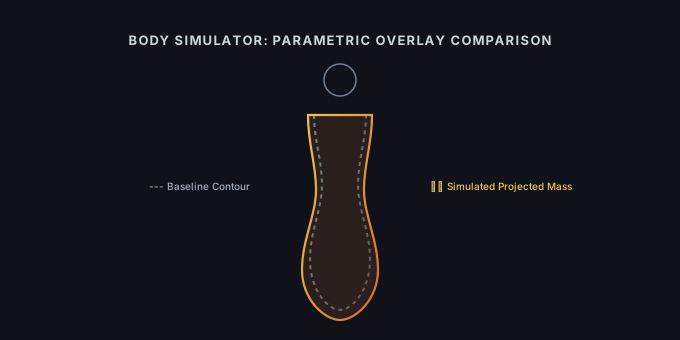
Dynamic parameter shift overlay illustrating proportional changes under modified mass assumptions.
Simulator Mode Technical Specifications
Does the simulator predict exact fat loss locations?
No. Biological adipose reduction is genetically determined and systemic; the simulator demonstrates proportional geometric shifts rather than metabolic spot reduction.
Can I simulate historical measurements saved in past entries?
Yes. Entering older records into the body measurement simulator displays a comparative overlay, contrasting past structural ratios against your current shape.
Frequently Asked Questions
Do I need a flexible measuring tape to use this tool?
No. You can generate an immediate baseline model using only your height and weight. If you have a soft measuring tape, expanding the optional panel to include bust, waist, and hip circumferences calibrates the torso curves and regional fat distribution to reflect your actual frame.
How accurate is the body visualizer?
The visualizer relies on parametric anthropometric modeling. It maps entered dimensions to human morphological archetypes and geometric cross-sections. While it reliably reflects waist-to-hip ratios, shoulder breadth, and overall mass balance, it models surface volume rather than internal bone density, localized muscle insertion points, or visceral fat.
Is my personal measurement data stored or uploaded?
No. All calculations, 3D mesh rendering, and ratio processing occur entirely within your local browser sandbox via client-side JavaScript. No measurement inputs, device data, or generated body models are transmitted to external servers or logged in databases.
How is this visualizer different from a standard BMI calculator?
A standard BMI calculator reduces your physique to a single numerical index derived from height and weight, failing to distinguish between muscle mass and adipose distribution. This visualizer pairs stature and mass with dimensional ratios to construct an interactive spatial silhouette, rendering how weight distributes across the frame.
Can this tool function as a body weight visualizer or body maker for fitness targets?
Yes. By adjusting weight while holding height and skeletal frame constant, the simulator displays predicted volume expansion or reduction across primary storage areas. It serves as an anthropometric simulation rather than an imaging system, demonstrating geometric distribution changes without predicting localized spot reduction.
What should I do if my visual shape looks different from my calculator category?
Classification formulas categorize body shapes based on strict threshold deltas between bust, waist, and hips. In contrast, visual perception accounts for vertical proportions, pelvic bone angle, ribcage depth, and posture. Comparing the 3D model alongside numerical ratios clarifies how skeletal structure and soft tissue interact.